
How we solve it
How we solve it, one problem at a time
The moment you know too well, what changes, and how it works in three plain steps. Every screen below is from our demo school, where every person and payment is made up.

Fees and receipts
Every shilling finds its child
“Who sent this 4,500? Which child is it for?”
The bursar, at 9pm, with the payment messages open
What changes
Parents pay against their own child’s invoice, so every payment lands on the right child, the balance updates and the receipt goes out on its own. Money goes straight to your school’s own account: we never hold it.
How it works
- Set a fee once for each programme, per term or per intake, for each way a learner attends.
- Invoices go out to the families. Parents pay in full or in monthly shares, by mobile money, card or cash at the office.
- Each payment matches its invoice by itself, with a numbered receipt anyone can check. Cash is recorded by an administrator.
Monthly plans that follow themselves
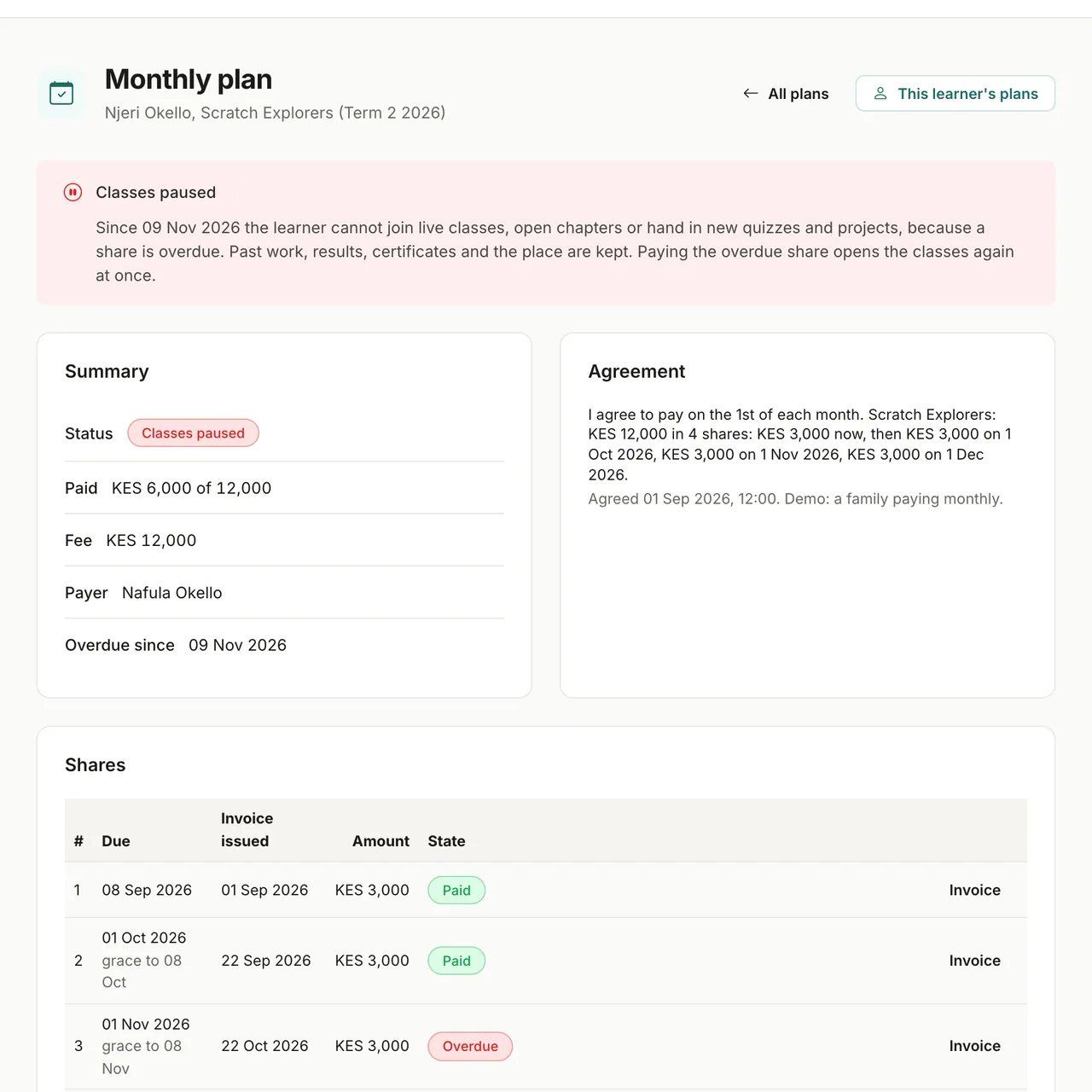
Each share is invoiced on time. If one is late after the grace week, the learner’s classes pause until it is paid, and past work is kept.
Every invoice and receipt in one list
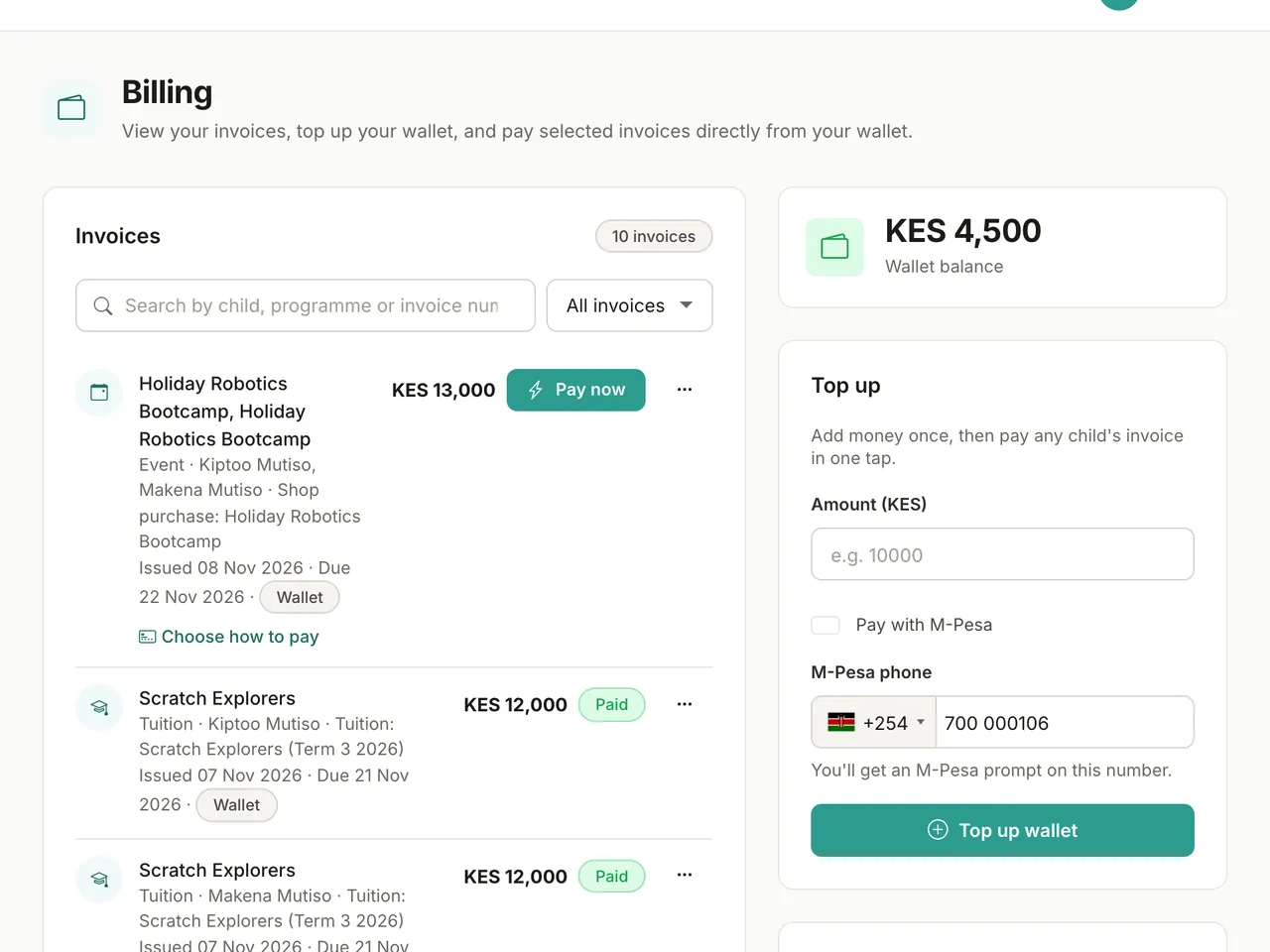
Parents see what they paid and what is due for every child, and a family balance pays any child’s invoice in one tap.
Registers and classes
You see every class, the same day
“Did that lesson even happen?”
The head teacher, on Friday, still waiting for registers
“I have marked this three times already.”
A teacher: paper, a book, then a group chat
What changes
Teachers mark the register on their phone in seconds, once. The office, the parents and the reports all read the same mark, online classes record who joined by themselves, and you see the missing registers straight away.
How it works
- Set your terms or intakes once: the timetable and the expected lessons follow.
- Teachers open today’s class on their phone, take the register and leave a comment.
- Anything not marked is chased for you: the teacher is reminded until it is done, and you are told if someone keeps falling behind.
The whole term at a glance
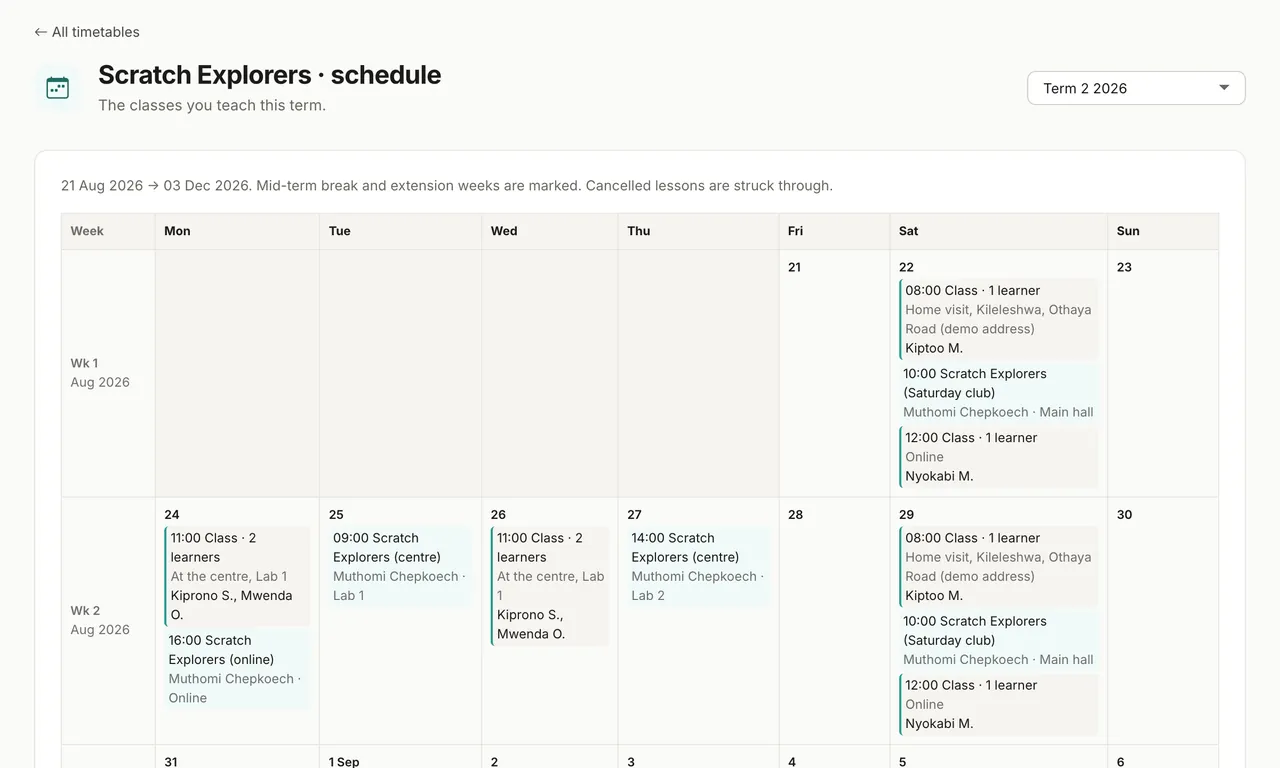
Week by week, with the teacher, the place and how each learner attends.
Lessons expected, lessons held
Learners and parents see how many lessons the term has and how many are left; a missing register shows up straight away.
Every screen so far is in the demo school, and it opens straight away.
Parents
Parents know before they worry
“How is my child really doing?”
A parent, one report a term and no idea what was taught this week
What changes
One sign-in for all their children. Parents see attendance, progress, the teacher’s notes and fees on their phone, hear the same day their child misses a lesson, and choose and pay for the next programme themselves.
How it works
- The parent gets an invitation and signs in on their phone; learners get a username, never an email.
- They pick a programme, how their child attends and when they start, then pay in full or monthly.
- Attendance, progress and the teacher’s feedback appear as the term goes, with a note on the day of a missed lesson.
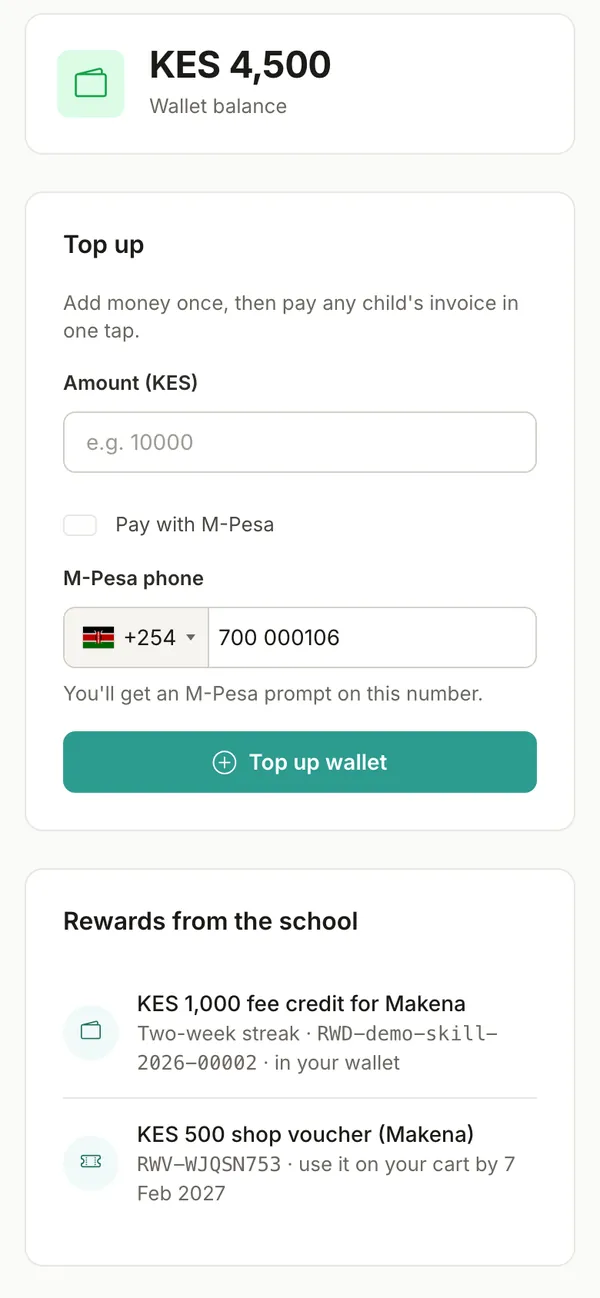
Paying, on the phone
The family balance, a top-up from the phone and a default way to pay.
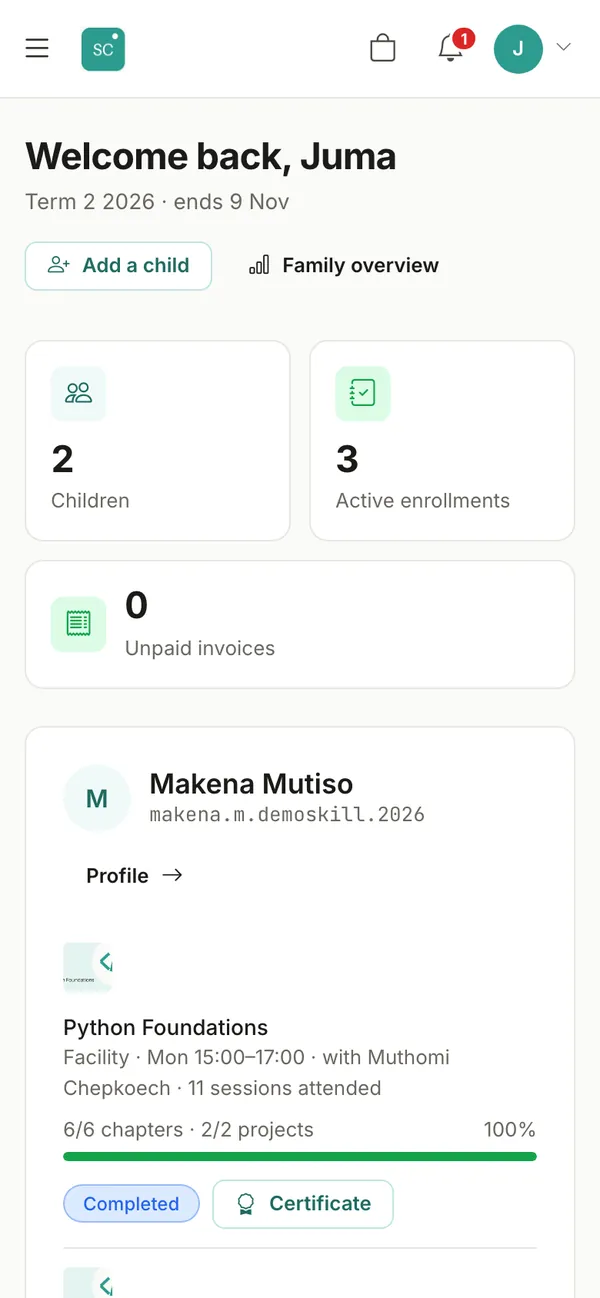
Every child on one sign-in
Each child’s programmes and progress on the parent’s home, with nothing unpaid hiding anywhere.
Learning
Learners always know what to learn next
“Where did we stop last week?”
A learner, and a teacher who covered the class
What changes
Programmes are split into chapters, each with a quiz and a clear pass mark, and projects at checkpoints. Learners pick up where they left off, and you can see who is stuck. Teachers train on a programme before they teach it.
How it works
- Your programme is set out once, chapter by chapter, with its quizzes and projects.
- Learners sign in with a username, open the next chapter and take its quiz; passing unlocks what comes next.
- Teachers mark the projects, and certificates follow when a learner finishes.
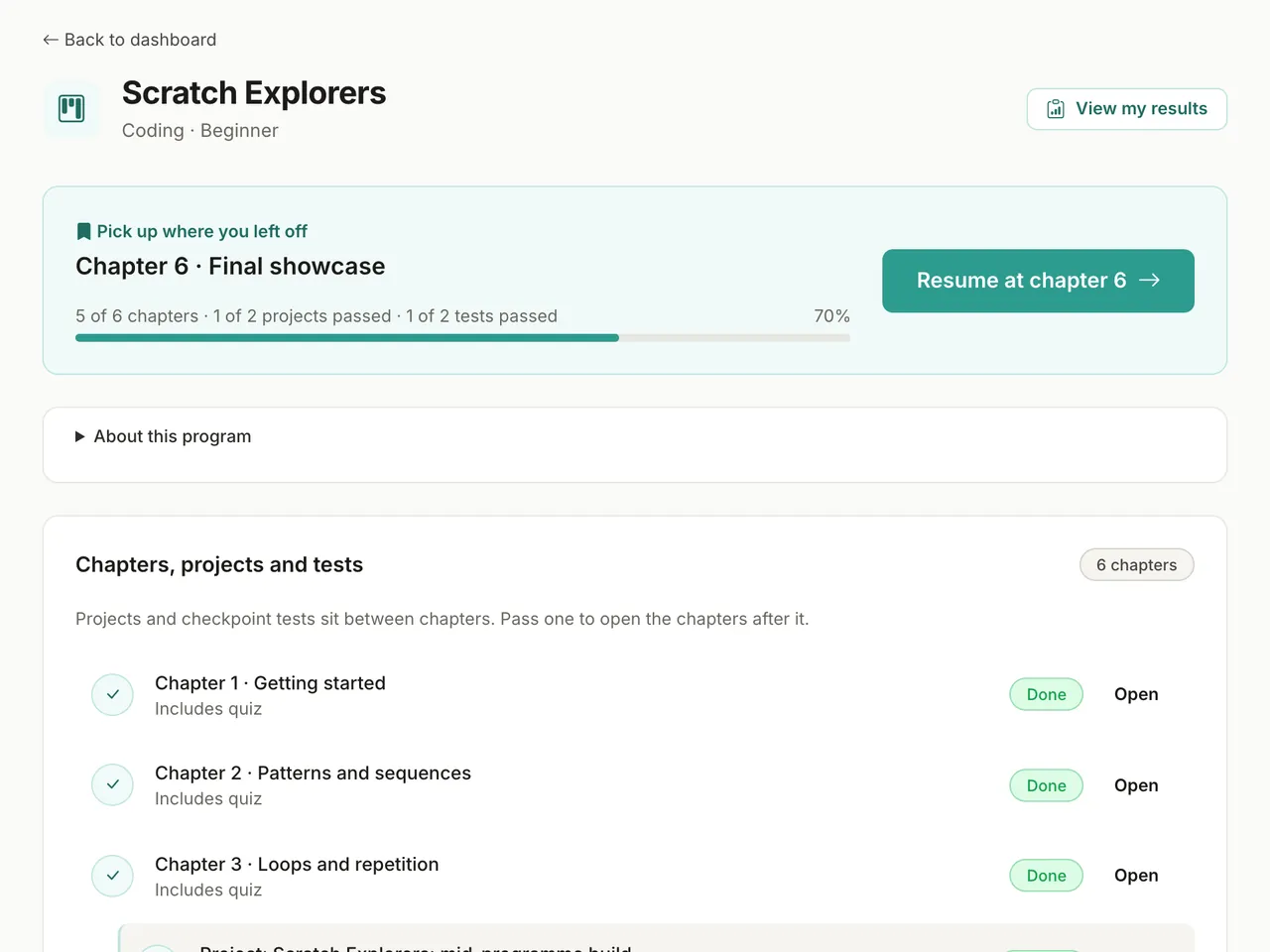
Results for every chapter
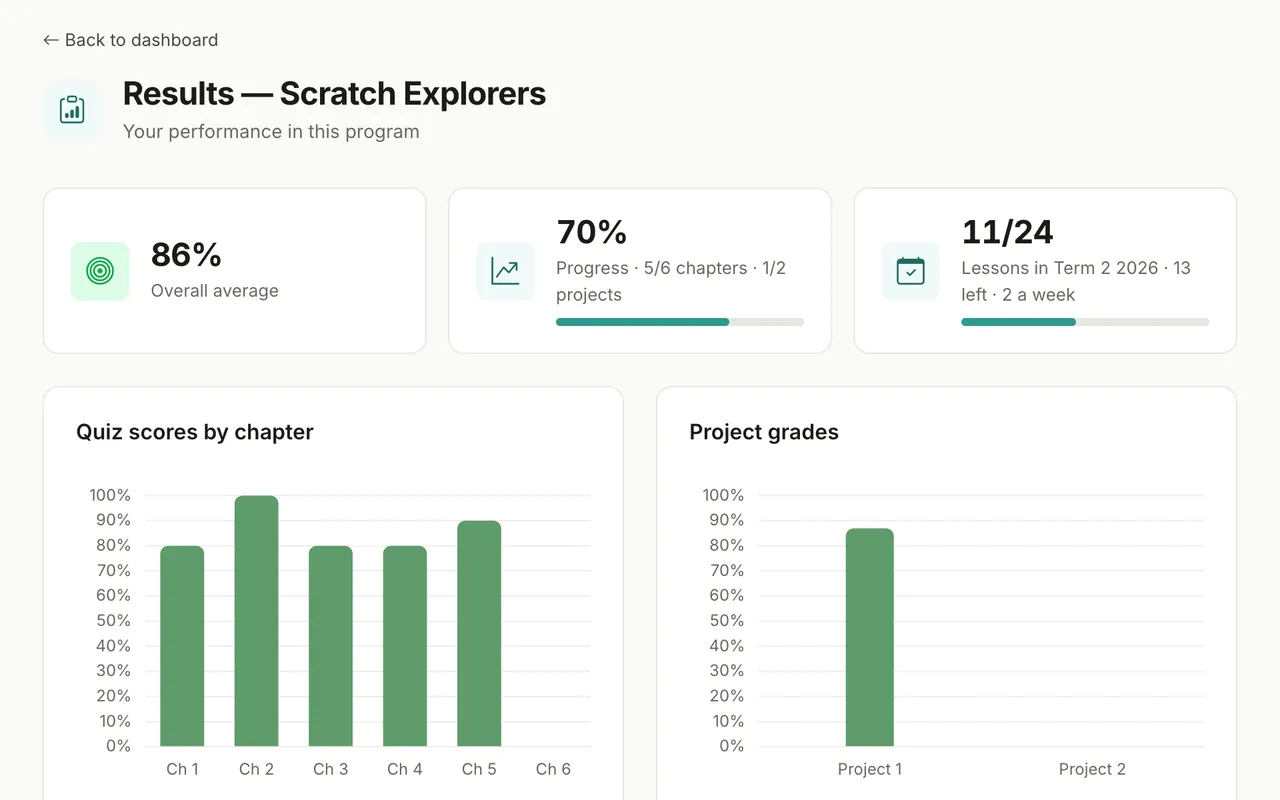
Quiz scores by chapter, project grades, attempts and what is still to pass.
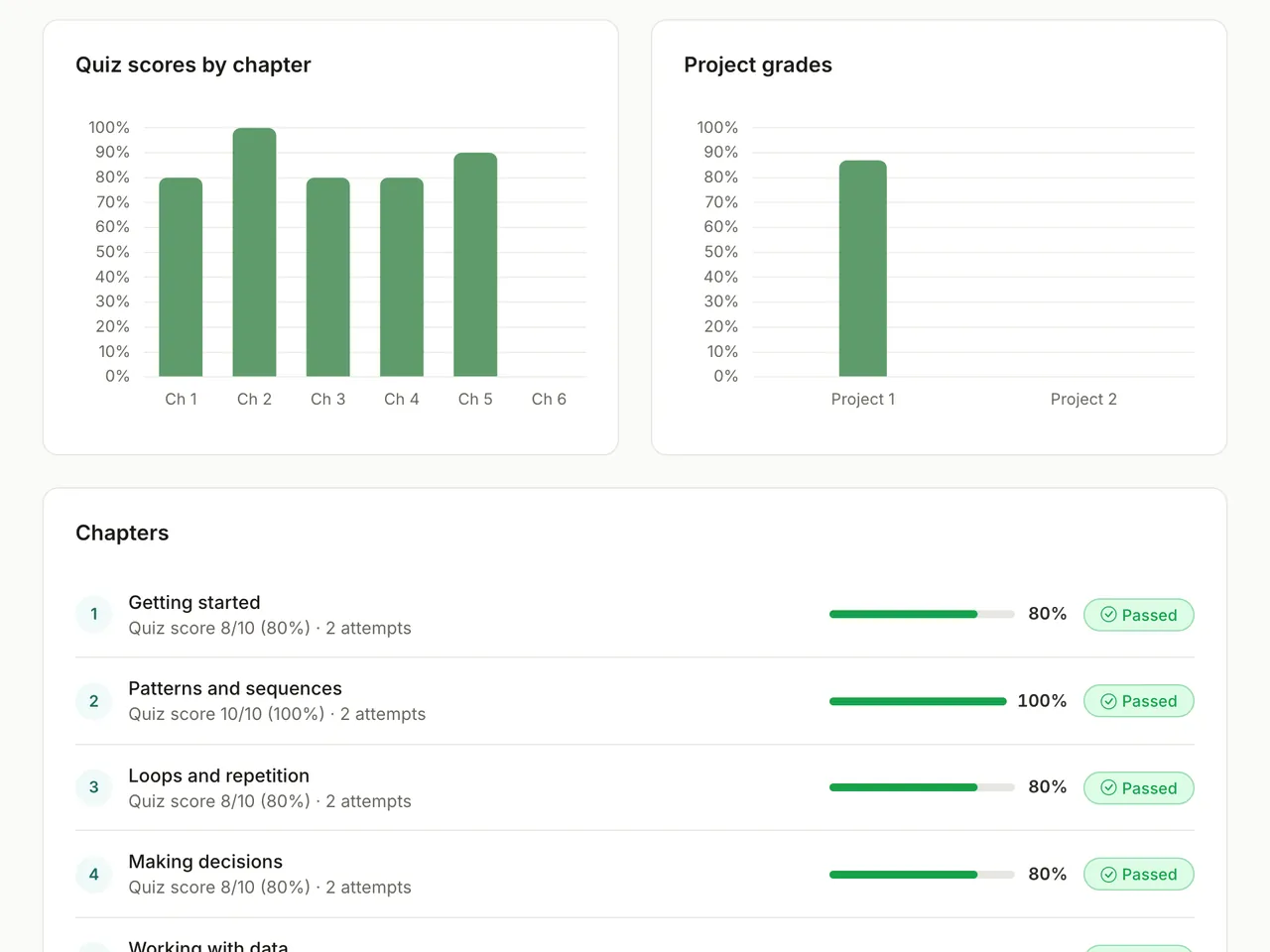
Progress learners can see
Pass rates, average scores, chapters completed, learning weeks and certificates, explained in plain words.
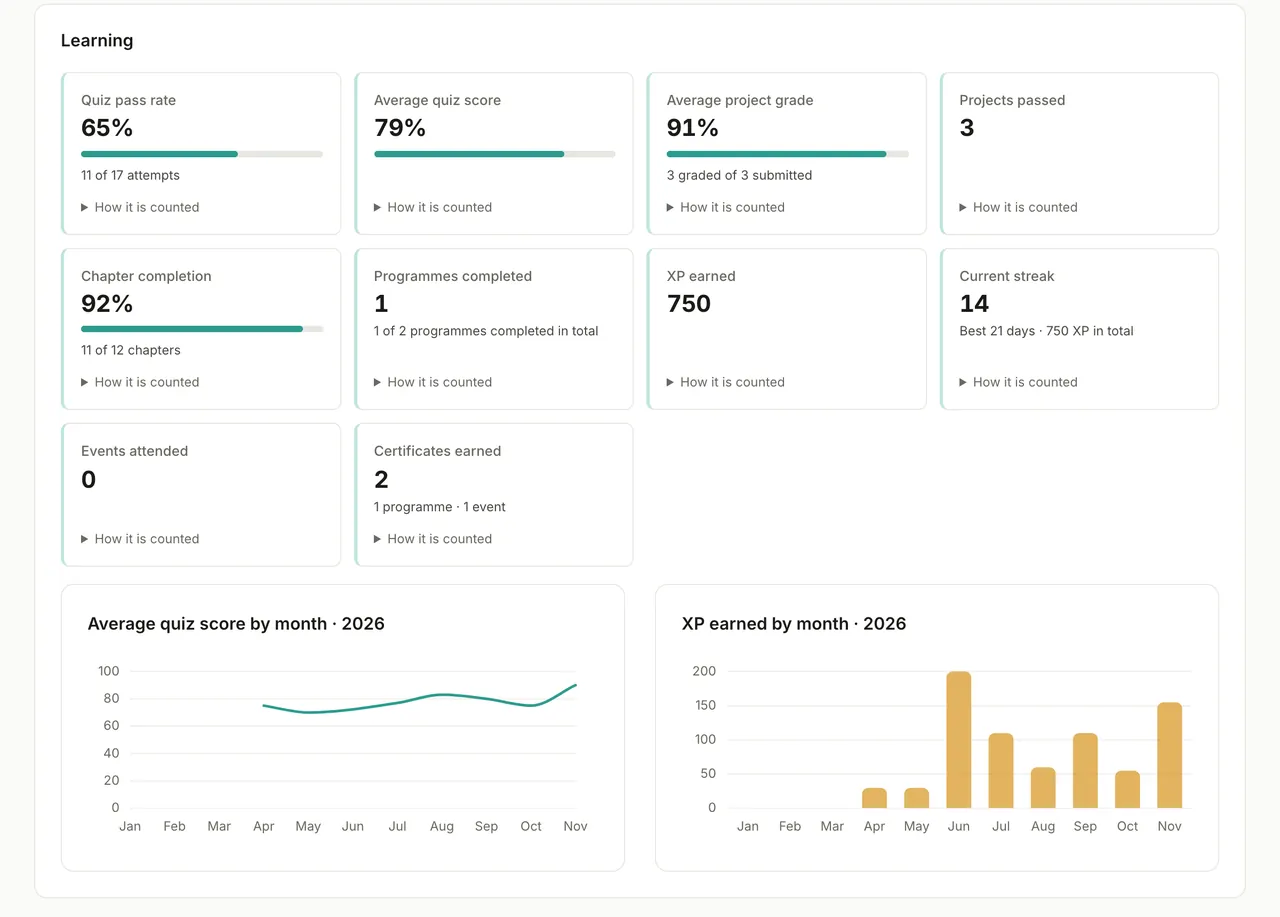
Look at it as a parent or a learner would, on your own phone.
Running the school
The office, without the paperwork
“Which list is the latest one?”
An administrator with three spreadsheets that disagree
“I only see the numbers at the end of term.”
The owner, waiting for a report someone spent days on
What changes
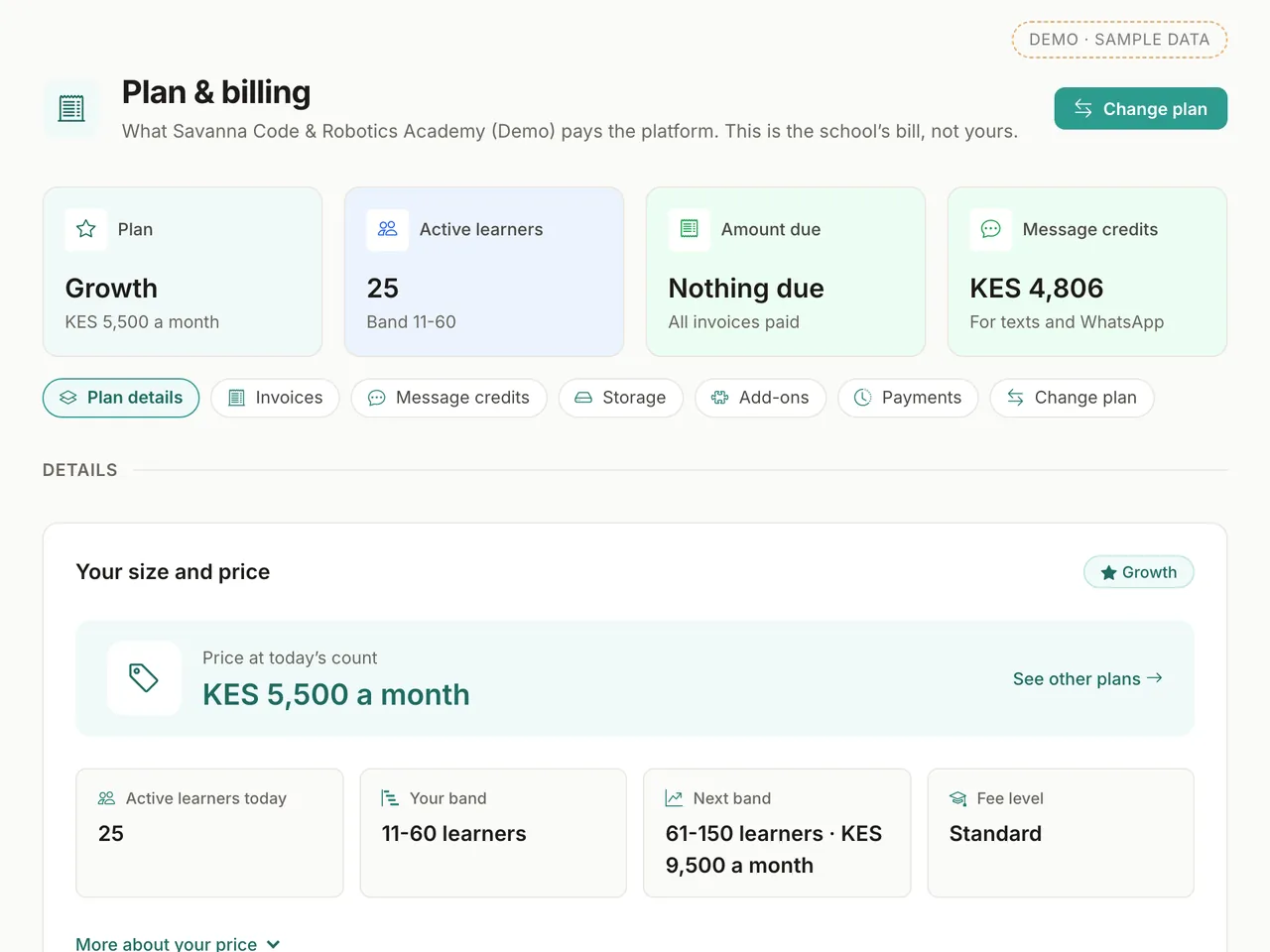
One record for each learner, parent and staff member. Live numbers for fees, enrolment and attendance whenever you open the app, your own bill from us on one page, and every record yours to download at any time.
How it works
- Bring your learners, parents and staff in from a spreadsheet; usernames are made for you.
- Everyone works on the same records, so the figures update as the school runs.
- Download everything as one linked workbook whenever you want it.
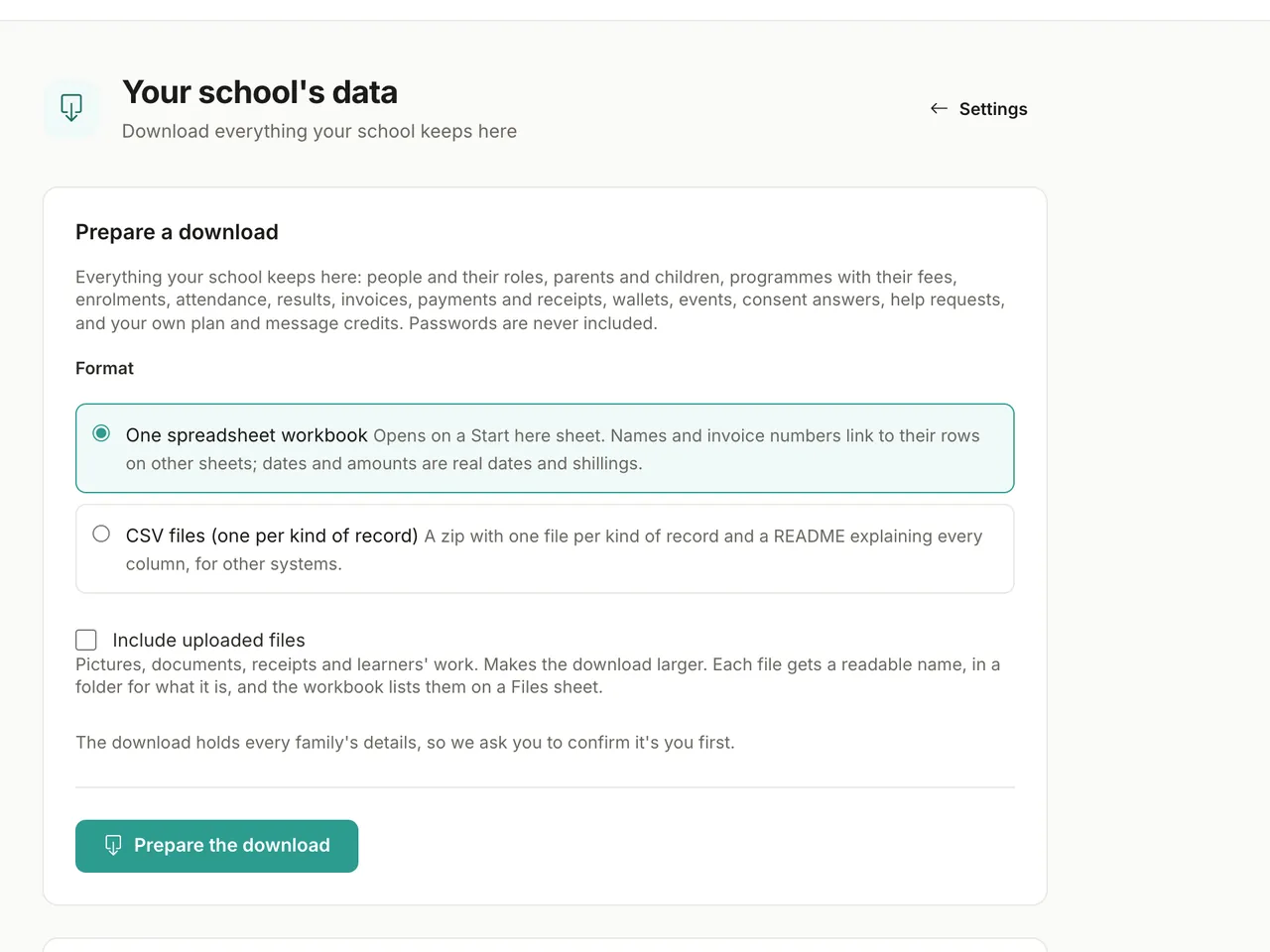
One clear bill for your school
Your plan, active learners, what is due and your message credits, with your size and price explained.
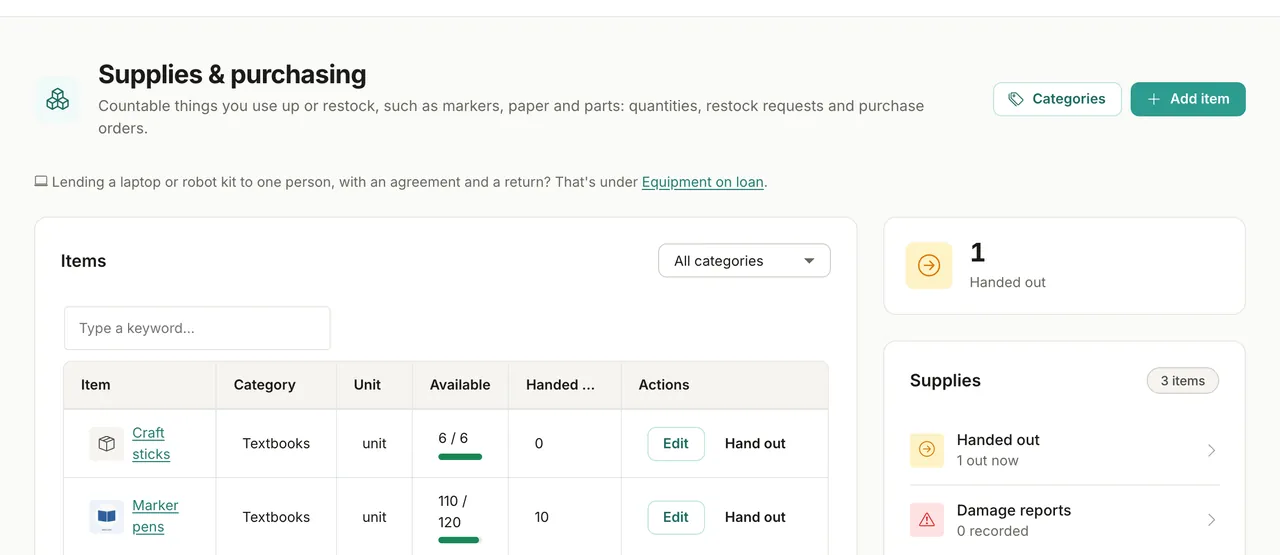
Stock and purchasing
What is on the shelf, what is lent out, and what needs restocking.
Your website
A website families can find, without a web designer
“Do you have a website I can send my husband?”
A parent, after a visit
How it works
- Every school gets its own web address on every plan, with your logo, your story, photos and how to reach you.
- Your open sign-ups for each term or intake show on it by themselves, with a sign-in button for your families and staff.
- On Growth, it can use your own domain.
Events
Open days, competitions and holiday camps with sign-ups, updates to everyone taking part, and certificates once the event closes.
Support
A support desk on every plan: each question becomes a ticket you can follow. A learner who forgets a password asks the school, never an email inbox.
See it in a minute
The same week, in one minute
The payment messages at night, the parent who asks, the class nobody marked. Then the same week, sorted. Press play when you are ready.
FAQ
Questions, answered honestly
The things schools ask us most. Something missing? Ask us on the demo call or through the contact page.
Getting started and cost
How do we get started?
Open the demo school and look around on your own, or book a demo and we will show you around. In a short call we look at how you run today and show you the same week in Bolder Learner. If it fits, your school gets its own account, and a step-by-step set-up checklist on your home screen walks your team through getting ready.
What does it cost, and what happens when the free trial ends?
You pay for the learners you have, in size bands, and centres with 10 learners or fewer are free. You start with a 28-day free trial of the plan you choose, for up to 60 learners, with no card needed. When it ends, the same plan carries on, priced for your size, so nothing switches off in the middle of a term (on Starter, 10 learners or fewer stay free). You can cancel any time before then. If a payment is late you keep full access for 14 days, and we call you first, and if you ever leave, your records are kept for 90 days. There is no setup fee, prices are in Kenyan shillings, and paying yearly gives you two months free. See pricing.
Can we change plans later?
Yes. Moving up takes effect straight away. Moving down takes effect at the end of your current period, so you never lose features you have already paid for.
What happens if we grow past our size band?
Nothing stops, and you keep enrolling. You are told when you reach the top of your band, with the next band’s price, and your next invoice is simply worked out on the learners you have on the billing date. Only the free trial stops new enrolments, at 60 learners, until you choose a plan.
Which kinds of schools is it for?
Schools and training centres: coding and robotics centres, tuition and holiday programmes, and schools that teach in terms or in intakes. You are not paying for a custom build.
Children, parents and privacy
Do children need an email address?
No. Each learner gets a username and password from the school, so even the youngest children can sign in. Anything an adult needs to know goes to the parent. If a child forgets their password, the school resets it from their dashboard; no email is involved.
Is our data safe and private?
Each school’s records are kept completely separate and are never visible to another school. Inside your school, people only see what their role allows: a parent sees their own children, a teacher sees their own classes. Private files such as documents are only shown to people who are signed in and allowed to see them. Read our privacy policy.
Does any learning-suggestion feature see our children’s details?
No names, contact details or birthdays are ever used. Suggestions work only from anonymous scores and progress, past academic records are included only if a parent has said yes, and a suggestion never changes anything until a person at your school accepts it.
Can parents follow their child’s progress?
Yes. Parents have their own sign-in to see attendance, scores, teacher notes, the timetable, events and fees for all their children, and to pay from their phone. They are told the same day if their child misses a lesson.
Day to day
How do parents pay fees?
By mobile money straight from their phone, by card, or in cash at the school. A mobile-money or card payment is matched to the invoice it was made for, the balance updates and the receipt is sent on its own. Cash is recorded by an administrator, who issues the receipt. Families can also pay in instalments or keep a prepaid balance.
We run everything on spreadsheets today. Can we move across?
Yes, and most schools start exactly there. You can bring in learners, parents and staff from a spreadsheet file, and the set-up checklist takes you through your programmes, terms and fee items before you go live. If you are moving from another system, export your lists from it as a spreadsheet and import them the same way.
Do we need fast internet or new computers?
No new hardware. It runs in the web browser of any smartphone, tablet or computer, with nothing to install, and it works over ordinary mobile data. It does need an internet connection: there is no offline mode yet.
How will our teachers and office staff learn it?
By using it. Administrators follow the set-up checklist one step at a time, and teachers start with the few things they do every day: the register, marking and their timetable. Each screen is designed to be clear without a manual, and questions go to the support desk.
What support do we get?
Every plan includes the set-up checklist and a support desk you can reach from inside the app or from our support page, so every question becomes a ticket you can follow until it is answered.
Can we run live online classes?
Yes, on every plan, with fair use: about 60 class-hours a month on Starter and 200 on Growth. Each lesson gets its own secure link, learners join from the app, and attendance is recorded from who actually joined.
See it with made-up people before you add real ones
Our demo school has a director, teachers, parents and learners, all invented. Look around as each of them, then start free with your own school.
No setup fee · Every parent and learner account included · Your data stays yours